fetch-links + fetch-info: Building My Own LLM Content Pipeline
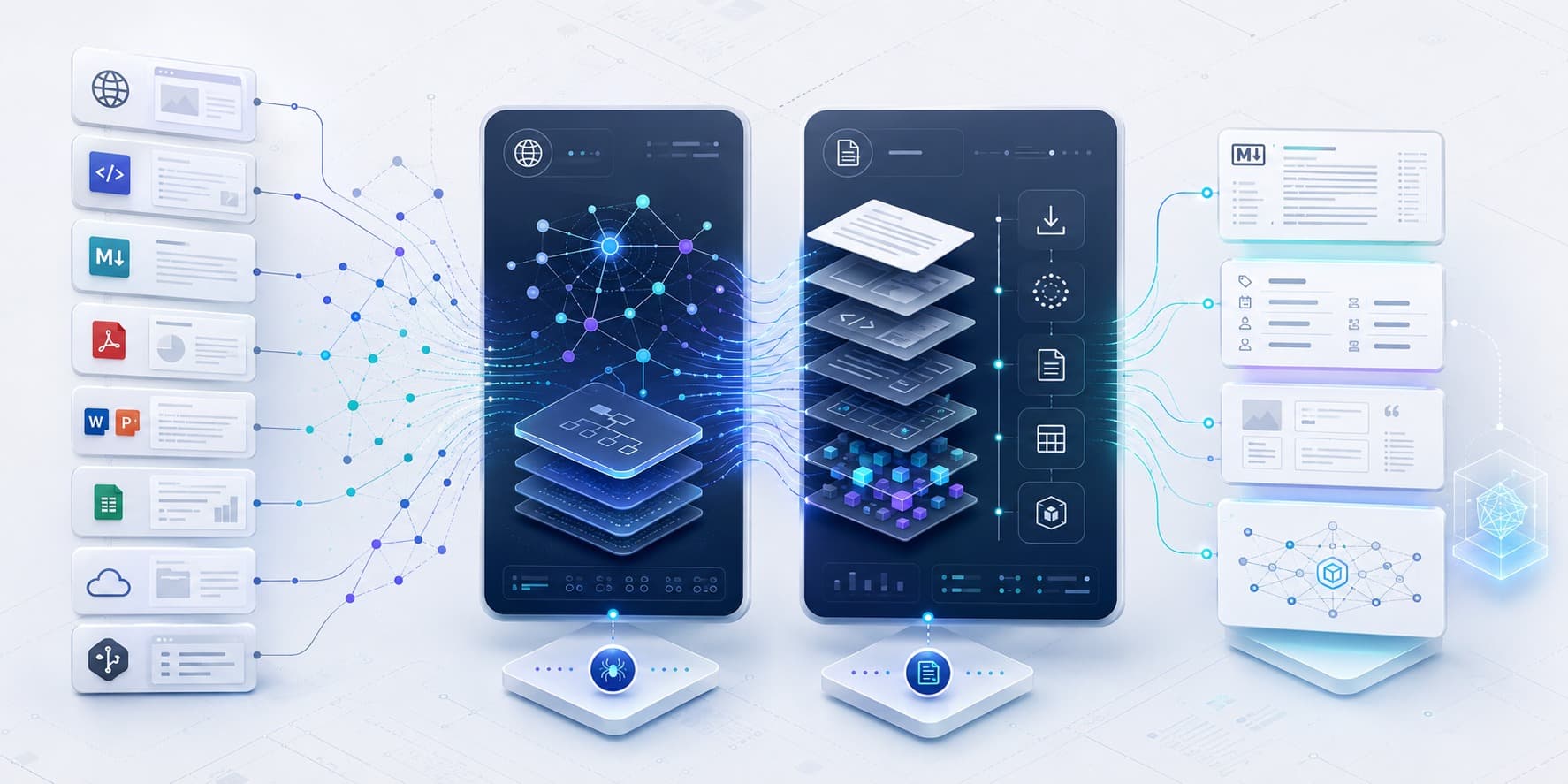
Content Ingestion & Extraction · Solo Build · Developer Infrastructure · AI-Assisted Engineering
While building different AI projects, I kept running into a very unglamorous first step: before I could do anything interesting with the information, I had to get it into a form the LLM could actually use.
There are plenty of good open-source tools for this. One crawls sites, another renders JavaScript, another extracts PDFs, another handles Office documents. But pretty soon that becomes its own little toolchain — different CLIs, different output formats, different assumptions, different ways of failing.
And that made me curious about something else I was already exploring with coding agents: if building software itself is becoming this much more accessible, why not build the exact tooling I want instead of stitching together several different tools? That is how fetch-links and fetch-info started.
First find it. Then make it usable.
I ended up splitting the problem into two repositories because they really are two different jobs.
-
fetch-linksfinds what is there.
Sometimes that means a sitemap. Sometimes GitHub,llms.txtor an MCP documentation source. And sometimes there is no shortcut — start at the site and crawl it. -
fetch-infodoes the messy second half.
Fetch the thing, render it if necessary, and then get useful content out of HTML, PDFs, Word or PowerPoint files, spreadsheets, email, scans and other source types. -
What connects them is a predictable handoff.
I don't want the next application to care whether the content came through Playwright, Docling, OCR or a plain HTTP request. It should get useful Markdown, metadata and structured run information and move on.
Two repositories, but really one pipeline: find it, fetch it, make it usable.
Of course, every source does it differently
The funny thing is that almost every source has its own way of being difficult.
-
There isn't one way to find the content.
Some sites give you a good sitemap. Some havellms.txt. Some point back to GitHub. Some need a browser. Some just make you crawl the whole thing. -
And there definitely isn't one way to extract it.
A PDF isn't a PowerPoint. A scan isn't really a PDF problem at all until OCR has done its job. A JavaScript page may not contain the useful content until a browser renders it. So I stopped looking for one magical extractor and kept the different paths explicit. -
Then real sites started correcting my assumptions.
I ran the crawler across 30 company websites, and it found problems that 1,405 tests hadn't. One bad link could kill hours of crawling; one page cap could make a run look successful while most of the site was still missing.
That kind of messiness is exactly what I want these tools to absorb before the information reaches whatever I build next.
What comes out matters more than what did it
At some point I realised I cared less about which library did the work and more about what came out the other end.
-
Give the next program something dependable.
Clean Markdown where that makes sense, useful metadata, structured records, and enough source/run information to understand where the content came from. -
A failure is still useful information.
If a page is blocked or a file times out, I would rather record that cleanly and keep going than lose a long run to one exception. -
Don't use an LLM just because this is for AI.
A lot of this layer is deliberately deterministic — parsers, Docling, OCR, browser rendering. The LLM becomes much more useful after the source has been captured properly.
That is really the role I want this layer to play: hide the acquisition mess, but don't throw away the structure.
Coding agents changed the build-vs-buy equation
There are already open-source tools that do almost every individual thing in these two repositories. A few years ago I would probably have picked several of them, written some glue, and learned to live with the differences.
-
Custom supporting tools became worth considering.
With coding agents, the question changed to: why not make my own little toolchain behave exactly the way the rest of my projects need it to? -
The design questions did not disappear.
I still have to decide where one responsibility stops and another starts, what the output should promise, how failures should behave, when a browser is really needed, and when not to build a common framework too early. -
The agents themselves needed structure too.
Infetch-linksI ended up putting specifications, approval gates, decision records and independent plan review around the development process so that more implementation capacity did not simply become more uncontrolled change.
The agents made the implementation much more accessible. The interesting work for me became shaping the system they were implementing.
Tech & engineering snapshot
These are local developer tools rather than hosted services, so the engineering emphasis is on repeatable runs, stable artifacts and being able to trust what a downstream process receives.
| Area | fetch-links | fetch-info |
|---|---|---|
| Primary job | Discover pages/resources | Acquire + extract source content |
| Shape | 5 released CLI tools | 12 format/source programs; 10 working at audit time |
| Web paths | HTTP + Playwright; sitemap/root crawling; GitHub, MCP, llms.txt |
HTTP + Playwright source fetchers |
| Document extraction | — | Docling, RapidOCR, Tesseract fallback, format-specific parsers |
| Contracts | Pydantic + versioned JSON Schema; structured records/errors | Per-program specs + fixed run artifacts; Markdown/data outputs |
| Testing at audit | 1,405 tests across 97 files | 454 tests across 83 files |
One nuance I want to preserve rather than polish away: two fetch-info programs are exceptions — one is specified but not implemented, and one was built but its uncommitted source was lost. That experience is also why repository evidence now wins over a status document when the two disagree.
From utilities to a reusable substrate
These started as support utilities, but I keep finding them underneath other things I'm building. A first proof of concept already takes a 2,559-page site crawl, picks the useful pages and PDFs, and runs them through the two projects into a structured corpus. The next question for me is what becomes genuinely reusable after I do that across a few more sites — rather than deciding the abstraction in advance.
What started as two support utilities is turning into infrastructure underneath other things I'm building. That, to me, is one of the more interesting effects of coding agents: they don't just make the main application easier to build; they make it practical to build the small, fit-for-purpose tools around it too.